
Scroll any thriving feed and notice what you remember: not layouts, faces. The entire creator economy is built on parasocial recognition — the same person showing up, week after week, until familiarity becomes trust and trust becomes buying. Brands without a face fight that battle unarmed.
AI content made this worse before it made it better. Most generators produce a *different* synthetic human every run, so an AI-powered feed becomes a parade of strangers — technically impressive, commercially inert. Cast is our fix: create a presenter once, lock their identity, and let the same character star in everything catais makes for you.
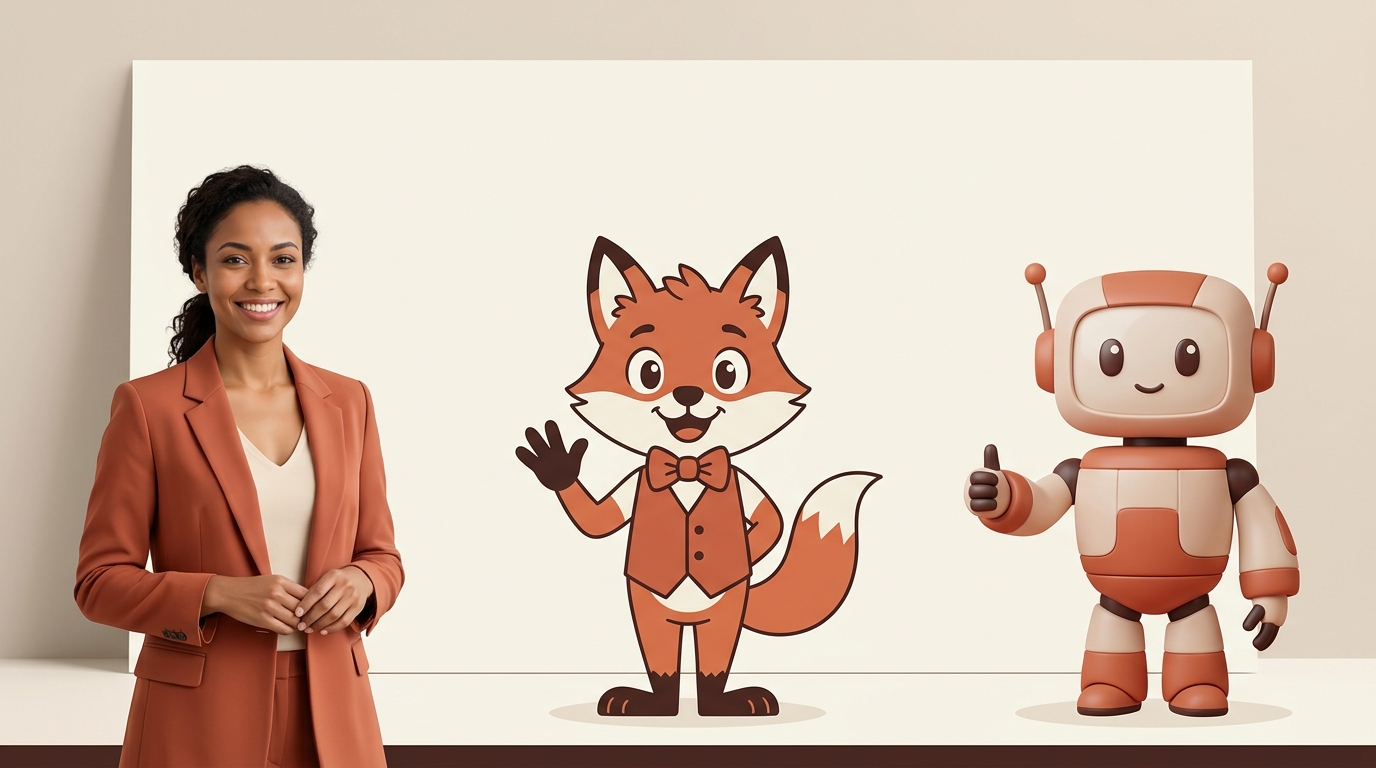
Three kinds of face, one system
- Photoreal human — a lifelike presenter with natural skin, hair and expression, engineered away from the plastic “AI look”. Best for trust-led niches: wellness, services, consultations.
- 2D animation — a clean cartoon character with bold, expressive features. Best for playful brands, food, kids' products — and immune to the uncanny valley.
- Pixar-style 3D — a rendered character with real charm and presence. The strongest mascot energy; superb for making products literally come alive.
- Your own face — upload a clear photo of yourself (or anyone who has consented) and the agent features that real likeness as the presenter. Founders who hate filming themselves: this is your loophole.
How identity locking works
When you create a presenter, the chosen portrait is stored as a locked reference image alongside your brand kit. Every subsequent generation — a reel's opening frame, a skit's scenes, a product graphic — is anchored to that reference, so the model reproduces the *same* face, hair, styling and wardrobe rather than inventing fresh ones. In videos, the presenter speaks your script with lip-sync; in graphics, they hold and present the product.
Choosing is part of the fun: describe the character in one line (“a friendly Kenyan woman in her late 20s, natural curls, warm smile, casual professional style”), pick a style, and either generate one — or generate five distinct options side by side and tap your favourite. The pick becomes active instantly.
A roster, not a monolith
Brands have registers. You might want a 3D mascot for promos and memes, a photoreal presenter for testimonials and product demos, and your own face for founder moments. Cast supports a roster: keep several presenters, switch the active one in a click, and the next piece of content stars whoever you chose. Each stays individually consistent.
The honest section: how consistent is “consistent”?
Reference-anchored generation keeps identity *strongly* consistent — unmistakably the same character across posts. It is not yet pixel-perfect: AI video can drift slightly frame to frame, and photoreal humans are the hardest case because human eyes are ruthless calibration instruments for other human faces. Two practical notes follow.
First, animated styles hide drift almost entirely — stylisation absorbs micro-variation, which is why a 2D or 3D character is the smart first presenter for most brands. Second, we ship realism improvements continuously; “presenter realism v2” is in beta on the public roadmap. We'd rather tell you the edge than have you find it.
On ethics, the line is bright: uploading a likeness requires consent — your face, or a face whose owner said yes. Cloning real people without consent isn't a feature we'll build, full stop.
What a presenter does for the numbers
A consistent face compounds: thumbnails become recognisable in the feed before a word is read; watch-through improves because a familiar character is a reason to stay; and the brand acquires a voice-with-a-face that followers reference (“the catais lady”, “the green mascot”) — the cheapest memorability money can't usually buy. Pair Cast with talking reels and skits and your store effectively gains an in-house creator who never has a scheduling conflict.
Setting one up (two minutes)
Cast presenters appear in graphics on every plan; starring in video is part of the Business tier (pricing). Create your presenter free — naming them is the hardest part.
- Open Cast in the dashboard sidebar.
- Pick a style — Real human / 2D animation / 3D animated — or choose Upload.
- Describe the character (or attach the consented photo). Optionally add a persona line: “warm wellness coach, Nairobi”.
- Tap Generate 5 options, pick your favourite — it becomes the active presenter.
- Say “make a reel of [product]” and watch them take their first shift.
See it on your own store.
Free plan, one page, no card — live in an afternoon.